 Flex Music Labs
Standalone bass and VST3 plugin
BassFlex
A modeled bass, with no samples: four plucked strings tuned E1, A1, D2 and G2 (five in some presets), a pickup, an amp and a cabinet, computed note by note as you play. Choose a preset, or shape the sound with the sliders.

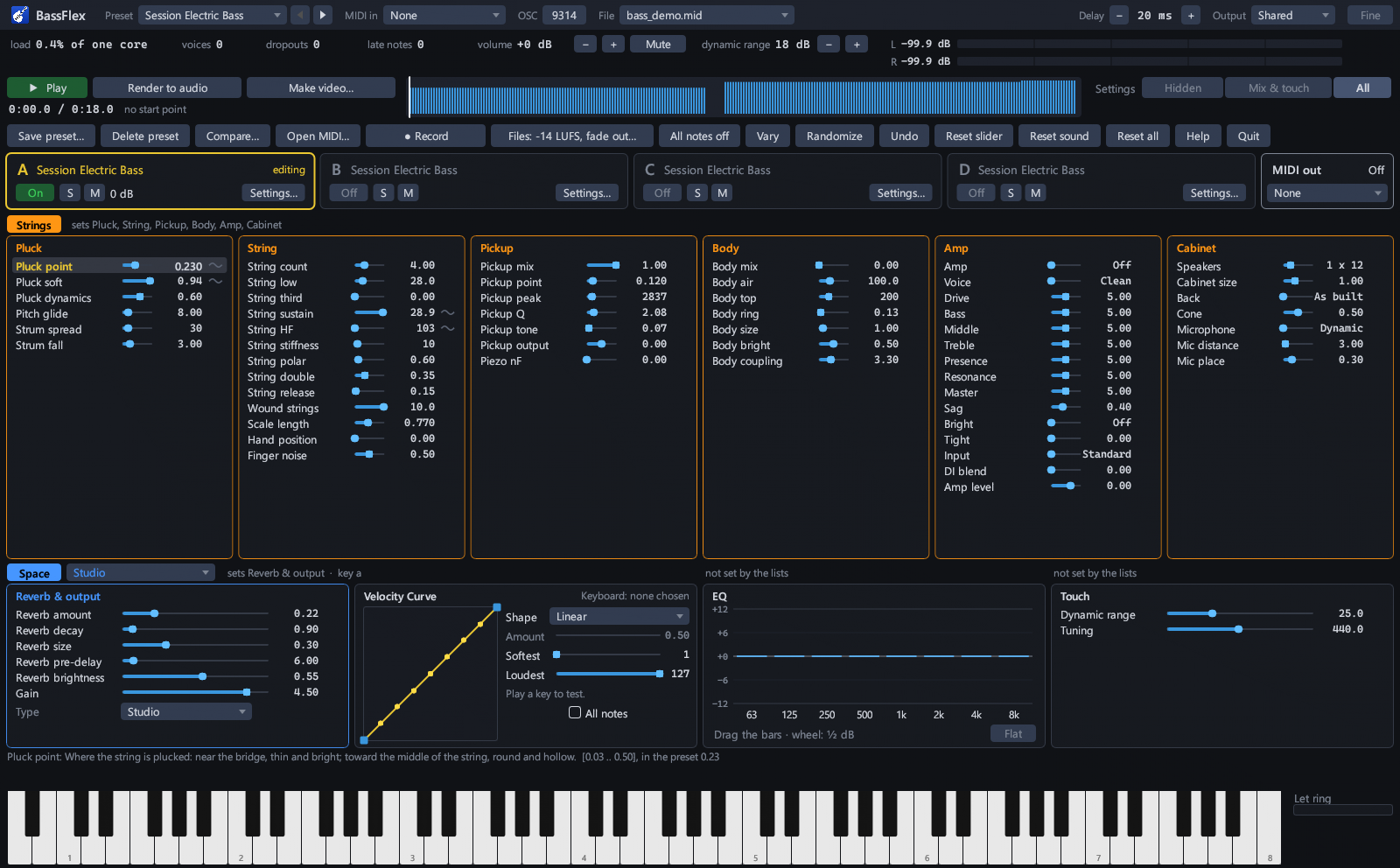
The controls
Every part of the bass, yours to shape.
About 70 sliders and an eight-band EQ, in panels from the pluck to the room, take you from where the string is plucked to the speaker and the microphone in front of it. Move a slider while you play and the notes you play next have the change.
Pluck
Where the string is plucked, how soft the pluck is, how much playing harder changes it, and how far sharp a hard pluck starts before it settles.
String
The strings themselves: how long they ring, how bright they stay, how stiff they are, wound strings, the scale length, where the hand sits and the sound of the fingers on the strings.
Pickup
A pickup's position, its peak and its tone control, and a piezo pickup, mixed with the body's own sound.
Body
The bass's body: how large it is, how bright, how much it rings and how it answers the strings.
Amp
A bass amp, off or on, with a bass tube and a bass clean voice among its voices, and drive, bass, middle, treble, presence, resonance, master, sag, bright, tight and input controls, and a DI blend.
Cabinet
The speakers in the cabinet, from one small speaker to eight 10-inch, the cabinet's size and back, and the microphone in front of it: its kind, its distance and where it points.
Reverb & output
The room around the bass: how much reverb, how long, how large, how soon it starts and how bright it is. Also the output level.
EQ
Eight bands, from 63 Hz to 8 kHz.
Touch
How the bass answers your hands: the range from the softest pluck to the hardest, a velocity curve, and the tuning.
Also in BassFlex
Ready for playing, recording and your DAW.
Electric and upright
Built-in presets from acoustic and upright basses to jazz, rock and metal electrics. Save your own the same way: a preset keeps the whole sound and brings it back exactly.
Four slots
Keep four sounds at hand in slots A to D and switch between them, or turn two or more on to layer them.
Standalone or plugin
Play it as a program of its own, or load it as a VST3 plugin in any DAW that hosts them. The plugin has the same sound controls; your DAW keeps the whole sound with the project.
Plays ComposerFlex's band
ComposerFlex writes the bass parts of its band songs, with the slides, bends, hammer-ons and pull-offs, palm mutes, harmonics, slaps and pops, and BassFlex plays them.
Play MIDI files, record, render
Open a MIDI file and play it, record what you play, or render a MIDI file to FLAC or WAV, at a level ready to use.
A sustain pedal
The sustain pedal lets the notes ring on.
Details
| System requirements | Windows 10 and 11, 64-bit; a 64-bit processor with 4 cores or more; 4 GB of memory; 100 MB of disk space |
|---|---|
| Formats | Standalone program and VST3 plugin, sharing one license |
| Plays from | A MIDI keyboard or other MIDI input; ComposerFlex, straight into the standalone program on the same PC; MIDI files, opened in the program; and in a DAW, the track's MIDI |
| Records | Audio of what you play, and renders of MIDI files, to FLAC or WAV |
| Voiced from | Measurements of freely licensed recordings of real instruments. No recording is played or shipped (see the credits) |
| Internet | Never connects: no update checks, crash reports or tracking |
| Try it first | Download it and try it on your PC before you buy |